|
| PowerSpec PC Systems: Support System ID |

|
Determining Your Model Number...
Just fill in the model number from one of these sources, and you'll
be able to
- Find support-related answers and downloads for your PowerSpec®
system
- Have the correct information available if you need to call Tech
Support
|
|
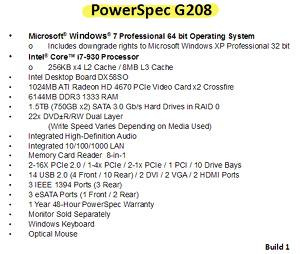
The box label.
|
|
Look on the box your system came in - check out the label on the front or back.
The big, 4-5 digit number is the model number.
|
The label on the top, side, or rear of your system.
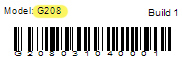 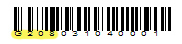
Look on the top, side, or rear of your system. Your model number will
be listed above your serial number.
|
|
The label on the back of your system.
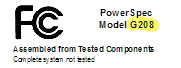
Look on the back of your system. Your model number should
be listed on this label.
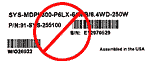
If you see a label like this please ignore it. It does not
list either the serial or model number of your PowerSpec.
|
|
|
| Call Tech Support.
For fee-based technical support, please call
1-614-850-3670 or send us
an email.
Remember, it's important to have your system, model, or serial number
ready when contacting our support staff with technical questions.
Need help? |
|